Select Page
Should You Trust Meta Ads Opportunity Score?

Should You Trust Meta Ads Opportunity Score?

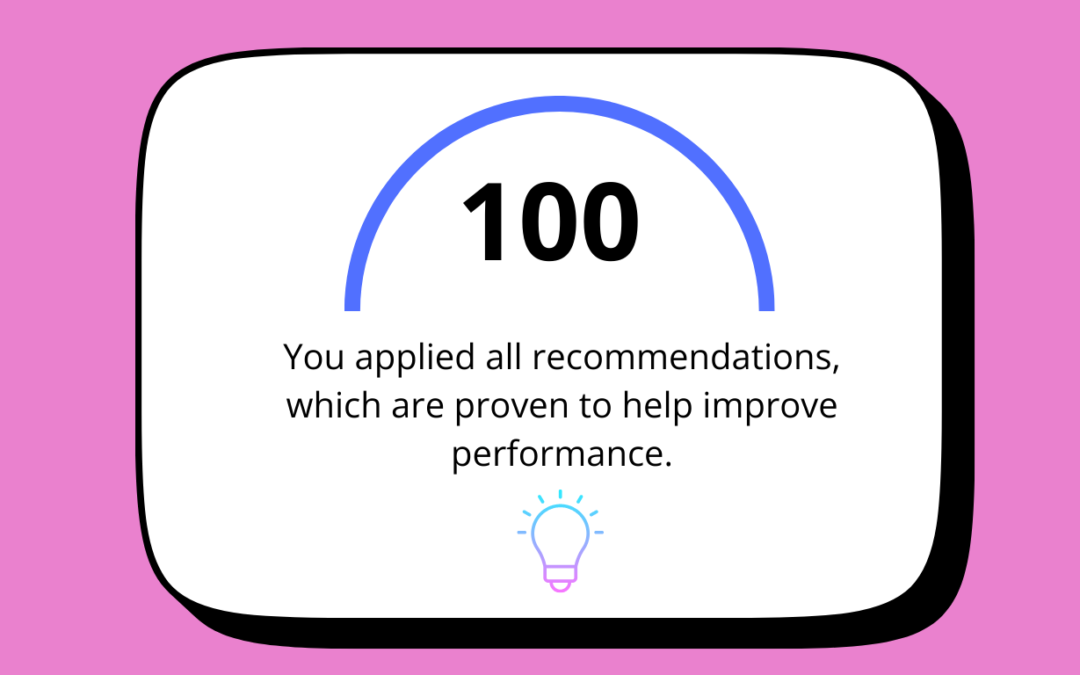
If you’ve been running ads on Meta, you’ve likely noticed a speedometer-like meter inside Ads Manager that subtly nudges you to think “Something is incomplete. I should fix this.”

That speedometer is called the Meta Opportunity Score.


What Is Opportunity Score in Meta Ads?

Opportunity Score is a 0–100 rating shown at the account, campaign, or ad set level inside Meta Ads Manager.

It reflects how many of Meta’s automated recommendations you’ve applied, not how well your ads are actually performing.

In simple terms:

Higher score = you followed more of Meta’s suggestions

That’s it.

It does not directly measure:

  • ROAS

  • Cost per lead

  • Quality of leads

  • Business impact

When Did Meta Introduce Opportunity Score?

Meta began rolling out Opportunity Score globally in late 2023, with wider adoption across ad accounts throughout 2024.

Its arrival aligns closely with Meta’s broader push toward:

  • Automation

  • AI-led optimization

  • Reduced manual control

This includes features like:

  • Advantage+ Shopping Campaigns

  • Advantage+ Placements

  • Advantage+ Creative

  • Automated budget and bidding

Opportunity Score is essentially the compliance meter for this new ecosystem.

What Is the Purpose of Opportunity Score?

From Meta’s perspective, the purpose is clear.

1. Push Advertisers Toward Automation

Meta’s AI Andromeda works best when it has:

  • Fewer restrictions

  • Broader audiences

  • Flexible budgets

  • Automatic placements

Opportunity Score nudges advertisers to remove friction.

2. Simplify Ads Manager for Non-Experts

Not every advertiser is a performance marketer.

For small businesses and beginners, Opportunity Score acts like:

“Do these things and your ads will probably improve.”

It’s designed to reduce decision fatigue, not replace strategy.

3. Standardise “Best Practices” at Scale

Meta cannot audit your funnel, sales team, or business model.

So instead, it evaluates:

  • Settings

  • Structures

  • Automation adoption

Opportunity Score is Meta’s version of best practice — not yours.

What Recommendations Affect Opportunity Score?

Common suggestions include:

  • Turning on Advantage+ placements

  • Broadening your audience

  • Increasing budgets

  • Using campaign budget optimisation

  • Adding more creatives

  • Enabling Advantage+ Creative

  • Switching bidding strategies

Important detail:

Meta does not verify whether these changes improved your results — only that you applied them.

Is Opportunity Score a Performance Metric?

No. Absolutely not.

Opportunity Score:

  • Is not predictive

  • Is not outcome-based

  • Is not industry-specific

Two accounts can have:

  • Same score

  • Same spend

  • Completely different results

A campaign with 60 Opportunity Score can outperform one with 95.

Should You Care About Opportunity Score?

Yes but don’t worship it.

Opportunity Score is useful only as a diagnostic tool, not a decision-maker.

You should care about it when:

  • You’re new to Meta Ads

  • You want to double-check missed setup basics

  • You’re scaling simple lead-gen campaigns

  • You’re auditing junior-managed accounts

You should ignore or challenge it when:

  • You have a proven structure that works

  • You manage regulated or niche audiences

  • You optimise for lead quality, not volume

  • You’re running budget-sensitive campaigns

The Hidden Risk of Blindly Chasing 100

Many advertisers fall into this trap:

Let’s get the Opportunity Score to 100.”

Here’s what can go wrong:

  • Budgets increase without conversion proof

  • Audiences go too broad too fast

  • Creative testing becomes uncontrolled

  • Cost per result rises

  • Lead quality drops

A high Opportunity Score with poor business results is still a failure.

How Smart Marketers Actually Use Opportunity Score

The score should be treated as a suggestion list, not a command. The best strategic approach is to review these recommendation and assess whether it align with your business goals? Test new settings only if you have the budget to do so but ignore anything that doesn’t serve your business. 

Is Opportunity Score Worth Giving Importance To?

Yes Opportunity Score matters, but only in context. It reflects Meta’s preferred setup, helps beginners spot missed basics, and highlights automation options but it is not a success indicator, a replacement for analysis, or a guarantee of better performance. Your real scorecard will always be cost per lead, conversion quality, revenue, and long-term outcomes. Meta optimises for platform efficiency; you must optimise for business results and the two don’t always align.

What Running a Low-Budget Social Media Account Taught Me

What Running a Low-Budget Social Media Account Taught Me

Running a social media account with a low budget is quite different from what most marketing blogs talk about.

There are no big testing budgets.

No multiple ad sets running at the same time.

No luxury of “Let’s try this and see what happened?”

There is a pressure. There is a fear of wasting even a small amount of money. And there is a constant voice in your head. “What if this doesn’t work this time?”

This blog is not about hacks or shortcuts.

It is about what I genuinely learned while managing a social media account with very limited spending and how that experience quietly shaped me into a better marketer.

When Budget in Not on Your Side?

When your budget is low, everything feels heavier.

Every decision matters more.

Every mistake feels expensive.

Every pause feels risky.

 I didn’t have the freedom to test endlessly. I had to think before clicking “Publish”. I had to sit with creatives longer, re-read captions, double-check targeting, and sometimes delay campaigns just to feel more confident.

Low budgets don’t allow panic decisions. They force clarity.


You Stop Chasing Vanity Metrics

One of the biggest lessons I learned was to stop caring about vanity metrics.

When budget are high, it’s easy to feel good about Likes, Impressions and Reach. But when budgets are low, these numbers don’t comfort you.

You start asking different questions:

Did this bring the right kind of attention?

Did someone actually message?

Did this lead to a conversion?

I stopped caring about likes and started paying attention to the intent.

One genuine inquiry felt more valuable than hundreds of reactions.

This shift alone changed how I looked at social media forever.


Every Rupee Matters

Low budget teach discipline.

I learned very quickly that I could not afford sloppy targeting or vague messaging. I had to be intentional with audience selection, with timing and with creatives.

Instead of spending money thin, I focused on what might best work.

Instead of copying trends, I tried to understand my audience deeply.

Running a low budget account forces you to respect money.

 It teaches you that efficiency matters more than the excitement.


Creativity Becomes More Important Than Money

When you don’t have money, you lean on thinking.

I couldn’t rely on expensive visuals or flashy edits. I had to rely on:

Clear hooks, honest messaging, simple language and real problems.

I learned that people respond to clarity more than polish.

Sometimes a basic creative with a strong message performed better than something perfect. That taught me a powerful lesson: people don’t engage with ads, they engage with meaning.

Learning Social Media Ad the Hard Way

There were mistakes. Many of them.

Ads that didn’t perform.
Campaigns that stayed quiet.
Moments when I doubted myself.

With low budgets, learning is slower. You don’t get massive data quickly. But what you get is deep learning.

I paid attention to patterns.
I re-read comments.
I analyzed even small numbers.

Those failures didn’t just teach me ads, they taught me patience.

Data Is Limited, But Insight Is Not

One thing people don’t talk about enough is this: you don’t need huge data to learn.

Even a few leads can tell you a story.
Even a small response can show you what resonates.
Even silence can teach you what doesn’t work.

Running low-budget campaigns made me observant. I stopped waiting for dashboards to tell me everything. I started listening to what the audience was not saying.

That skill is underrated and powerful.

Patience Over Pressure

Managing a low-budget account can mess with your confidence.

You see other marketers running big campaigns.
You see fast results on LinkedIn and Twitter.
You start comparing.

There were days I questioned whether I was even good at my job.

But low-budget work teaches emotional control. You learn to sit with uncertainty. You learn to trust process over noise. You learn that growth doesn’t always look dramatic.

Sometimes growth looks quiet.

Why Low Budgets Make Better Marketers

This might sound strange, but I truly believe this now:
low budgets create strong marketers.

They teach:

  • Strategy before scale

  • Thinking before spending

  • Empathy for small businesses

  • Respect for resources

If you can make something work with little money, you understand fundamentals. And fundamentals matter more than tools.

What I Would Do Differently Now

If I were starting again with a low-budget account, I would:

  • Spend more time on audience understanding

  • Write clearer, simpler copy

  • Focus on one strong message instead of many weak ones

  • Stop rushing results

  • Document learnings consistently

Low budgets are not a disadvantage, they are training grounds.

Final Reflection: Growth Before Scale

Running a low-budget social media account didn’t make me famous.
It didn’t bring overnight success.

But it gave me something better which is called clarity.

It taught me how to think, how to observe, how to stay grounded, and how to respect the process. It taught me that growth comes before scale, and understanding comes before spending.

And honestly, those lessons will stay with me far longer than any high-budget campaign ever could.

Why Ad Recall Lift Is the Most Underrated Meta Ads Metric

Most advertisers chase clicks and conversions. But when your goal is to build long-term brand recognition and assess the effectiveness of your creative, you need a smarter metric. That’s where Ad Recall Lift comes in—Meta’s performance metric designed to measure how many people remember your ad within two days of seeing it.

Ad Recall Lift is not only crucial for branding campaigns, but also for testing the quality and impact of your ads. If your ad is forgettable, chances are it’s also ineffective. With this guide, you’ll discover what Ad Recall Lift is, why it’s important, how to set it up, and how to use it in strategic ways—both in regular campaigns and Meta’s advanced Experiments tool.

What is Ad Recall Lift?

Ad Recall Lift estimates the number of people who are likely to remember seeing your ad if asked within two days. It’s not based on clicks or engagements. Instead, it relies on modeled data, behavioral signals, and in some cases, Facebook surveys (e.g. “Do you recall seeing an ad for Brand X?”).

You can measure Ad Recall Lift using three key metrics:

Estimated Ad Recall Lift (People)

What it means: The number of people likely to remember seeing your ad within two days.

Example: If your campaign has a reach of 10,000 people and 700 are estimated to remember your ad, that’s your recall lift.

Use it for: Measuring the effectiveness of your ad creative in making a lasting impression.

Estimated Ad Recall Lift Rate

What it means: The percentage of people reached who are likely to recall your ad.

Example: A 7% lift rate means 7 out of every 100 people reached will likely remember your ad.

Use it for: Comparing the memorability of different creatives or campaigns.

Cost per Estimated Ad Recall Lift (People)

What it means: The average cost to reach one person who’s likely to recall your ad.

Example: If you spend $350 and 700 people are estimated to recall your ad, your cost per recall is $0.50.

Use it for: Evaluating cost-efficiency in building brand awareness.

Why Use Ad Recall Lift?

Ad Recall Lift is most valuable when your campaign goal isn’t direct response (like clicks or sales) but long-term brand-building and message retention.

It helps answer:

  • Is your creative memorable?

  • Is your message sticking with the audience?

  • Is your brand top of mind for future action?

When to use it:

  • Launching a new brand, product, or service

  • Running top-of-funnel awareness or engagement campaigns

  • Testing the quality of creative assets without focusing on short-term performance

How to Optimize for Ad Recall Lift as a Performance Goal

Campaign Setup:

  • Objective: Awareness

  • Performance Goal: Maximize Ad Recall Lift

  • Creative Tips:

    • Use eye-catching visuals and emotionally resonant storytelling

    • Short-form video often performs best

    • Reinforce your brand message early in the ad

  • Frequency Tips: Aim for a frequency between 1.5 to 3 to avoid forgettable or fatiguing content

What to expect:

  • Recall rates of 5–15% are typical

  • Use cost per recall as a benchmark across campaigns—not just a fixed target

Using Ad Recall Lift in Experiments (A/B Testing at Scale)

You can run an Ad Recall Lift test in Meta’s Experiments tool. This differs from a basic A/B test in Ads Manager:

FeatureAwareness Campaign + A/B TestExperiments Tool (Brand Lift Study)
TargetingYour selected audienceEntire geographic region
MethodManually split test ad setsMeta scientifically controls the test
SurveyNoYes – Surveys shown to control/test
BudgetFlexibleHigh ($20K+ often recommended)
GoalCompare creative/copy performanceProve if your ad increased recall

Why use Experiments:

  • Scientifically measures brand impact

  • Uses surveys to validate whether ads were remembered

  • Great for large-scale, statistically confident decisions

Why use Awareness Campaign + Ad Recall Goal:

  • Ideal for limited budgets

  • Lets you test with your actual audience

  • More control over your campaign and targeting

Strategy: Ad Recall Lift → Retarget for Conversions

Ad Recall Lift isn’t the end—it’s your warm-up. Use it to build brand memory, then follow up with performance.

How to activate the strategy:

  1. Run a campaign optimized for Ad Recall Lift
  2. Build a custom audience from viewers (e.g., video views or post engagement)
  3. Retarget them with a lead generation or conversion campaign

Why it works:

  • Warm audiences are more likely to convert
  • Lower cost-per-conversion
  • Higher ROAS due to better awareness

Bonus Strategies

  • A/B test ad creatives using recall metrics to identify top performers

  • Use Ad Recall Lift as a secondary validation metric alongside engagement

  • Combine with frequency capping and smart placements to reduce fatigue and boost impact

Final Thoughts

If brand growth is your goal, Ad Recall Lift is your metric.

It’s not about clicks. It’s not about conversions. It’s about what sticks—and who will remember you when it’s time to buy.

Use it wisely to:

    • Test creatives

    • Build brand memory

    • Lay the foundation for long-term performance

A Simple Guide to Meta Standard Event Metrics

Meta’s Standard Event Metrics go beyond basic ad performance and help advertisers track what actually matters: user actions. These events give you a clear view of customer behavior—from submitting a form to making a purchase. Whether you run an eCommerce store, SaaS platform, app, or service business, standard events help you measure what success looks like.

Here’s a breakdown of key standard events in Ads Manager, including what each one means and how you can use them to improve results.

🛍️ eCommerce & Funnel Events

  • Adds to Cart / Wishlist / Payment Info – Shows how users are moving through the purchase funnel. More adds to cart = strong interest; fewer adds of payment info = checkout friction.

  • Checkouts Initiated – A sign of bottom-funnel intent. Someone is about to buy.

  • Purchases – Final sale events. You can track total count, purchase value, and cost per purchase.

  • Purchase ROAS (Return on Ad Spend) – How much revenue you made for each dollar spent on ads. Key profitability metric.

📱 App-Based Events

  • App Installs / Activations – Tracks downloads and first opens.

  • In-App Ad Clicks / Impressions – Useful for monetized apps with ads.

  • Trials Started / Subscriptions – Measures SaaS or subscription-based performance.

  • Mobile App D2/D7 Retention – Retention after 2 or 7 days. Important for growth teams.

📄 Lead Gen, Forms, and Engagement

  • Applications Submitted / Appointments Scheduled – Ideal for service businesses and universities.

  • Contact / Leads / Phone Number Clicks – Tracks when someone reaches out or taps to call.

  • Landing Page Views – Visitors who actually wait for the page to load.

  • Registrations Completed – Event-based sign-ups (e.g., webinar, event, account creation).

🎮 In-App or On-Site Interaction

  • Get Directions Clicks / Location Searches – Good for local businesses or multi-location chains.
  • Orders Created / Shipped – Tracks full eCommerce fulfillment pipeline.
  • Custom Events – Events that don’t fall under Meta’s default set—flexible and highly specific to your product.

📊 Total, Value, and Cost: What They Mean

Each event can have three columns:

  • Total – Number of times the event happened.

  • Value – Monetary value tied to the event (e.g., purchase amount).

  • Cost – Average cost to get that event to happen.

🧠 Why it matters: This helps you understand ROI and see where budget goes—e.g., if you’re paying more to get a trial than it’s worth.

Conclusion

Standard events turn raw performance into insights that matter. Whether your ad led to a purchase, install, or form submission, tracking these events helps you make smarter decisions. Once you understand your cost per event and ROAS, you can optimize campaigns that drive growth—not just engagement.

Mastering Meta Video Metrics: Understand Every Play, View, and Watch Time

If you’re running video ads on Meta (Facebook and Instagram), success isn’t just about views. You need to know how long people are watching, where they’re dropping off, and which videos are actually getting attention. Meta provides a rich set of video performance metrics to help you analyze viewer behavior in detail. Here’s your simple guide to understanding each metric—and how to use it to create better content that performs.

🎬 Basic Video Play Metrics

  • Video Plays – Any time a video begins to play, even for a second.

  • 2-Second Continuous Video Plays – When a video is watched continuously for 2 seconds or more.

  • 3-Second Video Plays – Considered a more qualified view; the video played for at least 3 seconds.

  • ThruPlays – When a video ad is watched to completion (if under 15 seconds) or for at least 15 seconds (if longer). This is one of Meta’s most important video ad benchmarks.

🧠 Use these to compare video hook strength and early engagement.

⏱️ Video Watch Time & Retention Metrics

  • Video Plays at 25%, 50%, 75%, 95%, 100% – Tracks how many people watched a quarter, half, three-quarters, almost all, or the full video.

  • Video Average Play Time – The average number of seconds viewers spent watching the video.

🧠 Use this to identify which part of your video loses viewers—and where it holds attention.

💰 Video Cost Metrics

  • Cost per ThruPlay – How much it costs to get a ThruPlay.

  • Cost per 2-Second Continuous Play / Cost per 3-Second Play – Measures how much you’re spending for very short but valid views.

🧠 Use this to track cost efficiency of video engagement—not just impressions.

🧩 Instant Experience Video Metrics

If your video is part of an Instant Experience ad (full-screen format), Meta tracks video activity inside that immersive space:

  • Instant Experience View Time – Total time spent watching video inside the experience.

  • Instant Experience View Percentage – What percentage of the Instant Experience was viewed.

  • Instant Experience Reach – Number of people who saw your Instant Experience.

  • Instant Experience Impressions – Total number of times it was shown (can be higher due to repeat views).

🧠 Use these to evaluate storytelling ads, product walkthroughs, or catalog previews inside Instant Experience.

Conclusion

Video metrics give you more than a view count—they show how people are reacting to your content, how long they stick around, and whether your message hits home. By tracking metrics like ThruPlays, average watch time, and percentage watched, you can refine your video strategy, improve storytelling, and maximize your ad spend.

How to Track Messenger Ads and Call Performance in Meta

In the world of Meta advertising, not every campaign is about website clicks or purchases. Sometimes, the goal is simple: start a conversation. Whether you’re using Messenger for sales, support, or bookings, Meta provides a set of unique Messaging and Calling Metrics to help you track these interactions. This blog breaks them down in easy language, so you know exactly what each number means and how to use it to improve your results.

📞 Calling Metrics (Messenger Calls)

If you’re running a click-to-call Messenger campaign, these metrics track real-time calls and user actions:

  • 20-second Messenger Calls – Calls that lasted more than 20 seconds. A sign of serious engagement.

  • 60-second Messenger Calls – Even deeper engagement. These are calls with longer conversations.

  • Messenger Calls Placed – The number of users who tapped the call button and placed a call via Messenger.

  • Callback Requests Submitted – How many users asked to be called back (often via a form or button).

  • Estimated Call Confirmation Clicks – Number of people who clicked to confirm they wanted to talk to you after viewing a prompt.

🧠 Why it matters: Longer or confirmed calls often mean real interest. These metrics are great for service-based businesses, education leads, or high-ticket sales that require real conversations.

💬 Messaging Metrics (Meta Messaging Ads)

Messaging ads are designed to spark conversations in Messenger, Instagram Direct, or WhatsApp. These are the key metrics that show how well those conversations are going:

  • Messaging Conversations Started – Number of new chats initiated from your ad.

  • New Messaging Contacts – First-time users who contacted you from your ad.

  • Returning Messaging Contacts – People who’ve messaged you before and engaged again.

  • Messaging Conversations Replied – Number of times users replied after your initial message.

  • Messaging Contacts – Total people who’ve contacted you through messaging ads.

  • Welcome Message Views – How many users saw your auto-response or welcome message.

  • Messaging Subscriptions – How many opted into messaging updates (great for remarketing).

💰 Cost Metrics (For Messenger Campaigns)

These metrics show how much you’re spending per action:

  • Cost per Messaging Contact – How much it costs to get one new contact via message.

  • Cost per Messaging Subscription – Cost to get someone to subscribe to your updates.

  • Cost per Messaging Conversation Started – The average cost to start a new conversation.

  • Cost per New Messaging Contact – Cost to acquire a brand new user through Messenger.

  • Cost per Returning Messaging Contact – What it costs to re-engage someone who has messaged before.

🧠 Why it matters: These help you understand what it costs to generate leads or support users via chat instead of landing pages.

🛡️ Other Engagement Metrics

Blocks – Number of users who blocked your page after interacting. High block rate = red flag!

Conclusion

Meta’s calling and messaging metrics are essential if your strategy involves direct communication instead of traditional conversions. From tracking who messaged you, how long they talked, and what it cost—you’ll gain better insight into how conversations drive business. Use these metrics to optimize your approach, train your team, and scale real-time connection campaigns that convert.