
Setting up Meta ads is only half the battle. Once your campaign goes live, the real work begins: figuring out what people actually do after they click.
Did they read your article? Submit a form? Book a phone call? Or go all the way and buy something?
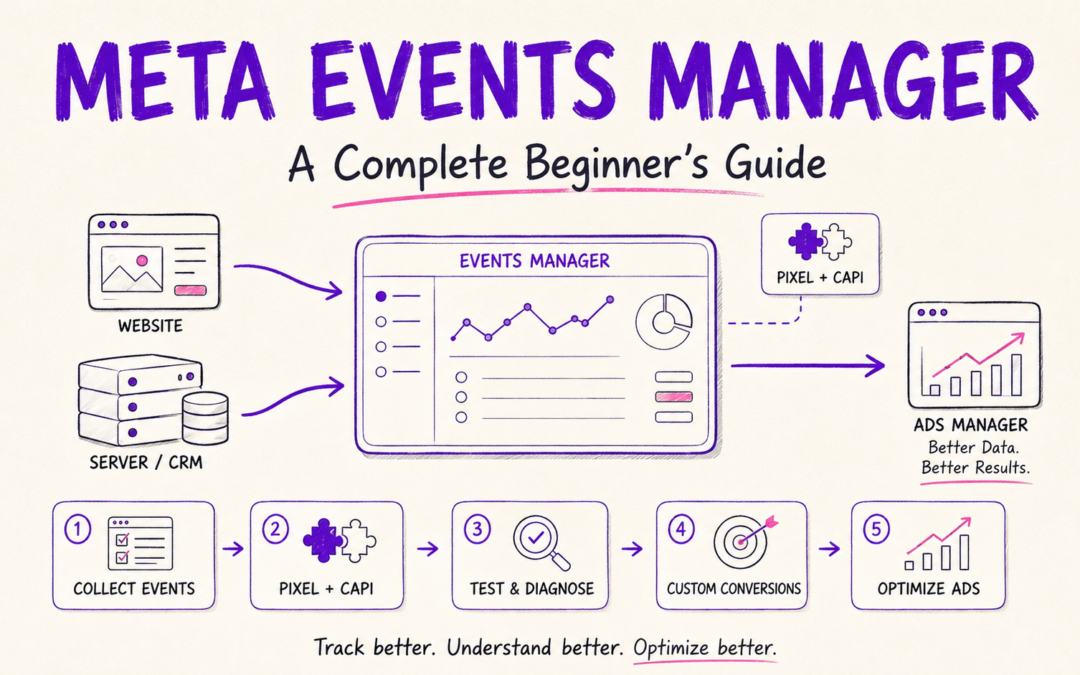
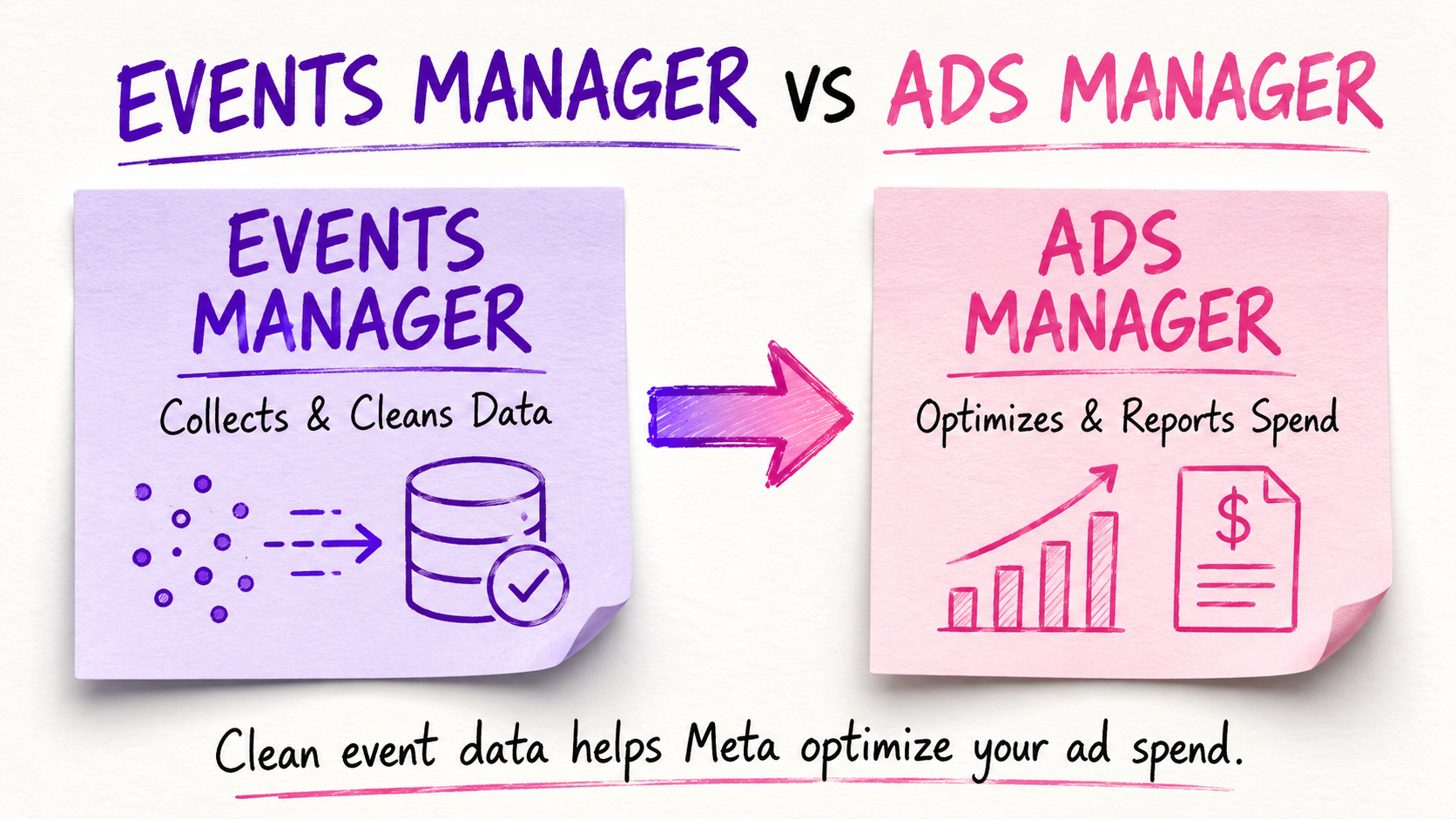
Meta Events Manager is the mission control center for tracking those post-click actions (like Lead or Purchase). When configured correctly, it feeds these raw signal events back to Meta’s algorithm so the system can locate and deliver more high-value customers.
However, don’t confuse these raw backend events with your front-end reporting metrics (like Cost Per Lead, ROAS, or CTR). While Events Manager logs every action happening across your entire site, Ads Manager uses that data to calculate the paid ad metrics that show whether your spend is actually profitable.
This guide breaks down how Events Manager works, from datasets and pixels to Conversions API (CAPI), CRM tracking, and troubleshooting, without the dense technical jargon.
What Is Meta Events Manager?
Events Manager is where you connect, monitor, and troubleshoot all the data your business feeds to Meta.
That data can come from almost anywhere:
Your website
A mobile app
A CRM (like HubSpot, Salesforce, or ActiveCampaign)
Phone calls or offline store visits
Business messaging (WhatsApp, Messenger)
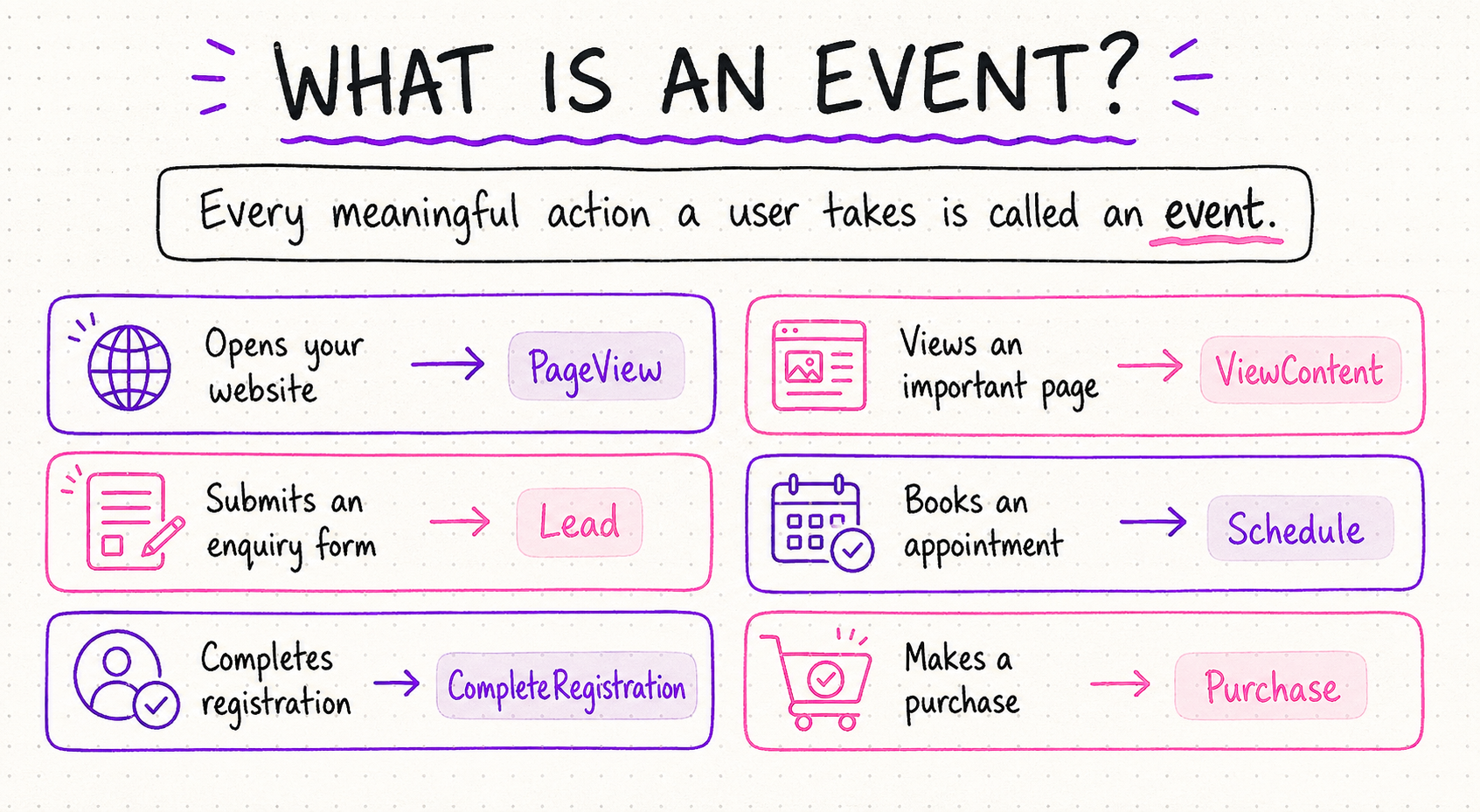
Why Is Events Manager Important?
Imagine you’re running ads for a university counseling service.
Your campaign brings in 100 website visits and 20 form submissions. But after reviewing those submissions, you find that only three are actually a good fit for your program.

If you only send those 20 raw form submissions back to Meta, the system assumes all 20 are wins. It keeps targeting people who love filling out forms, even if 85% of them are unsuited for the course.
However, if your CRM sends data back to Meta identifying those three qualified leads, the algorithm gets a much stronger signal. It shifts focus toward finding genuine prospective students.
Events Manager helps you answer three core questions:
- What specific actions are people taking?
- Is Meta receiving that data cleanly and accurately?
- Which events should Meta prioritize to optimize your spend?
Navigating the Events Manager Interface
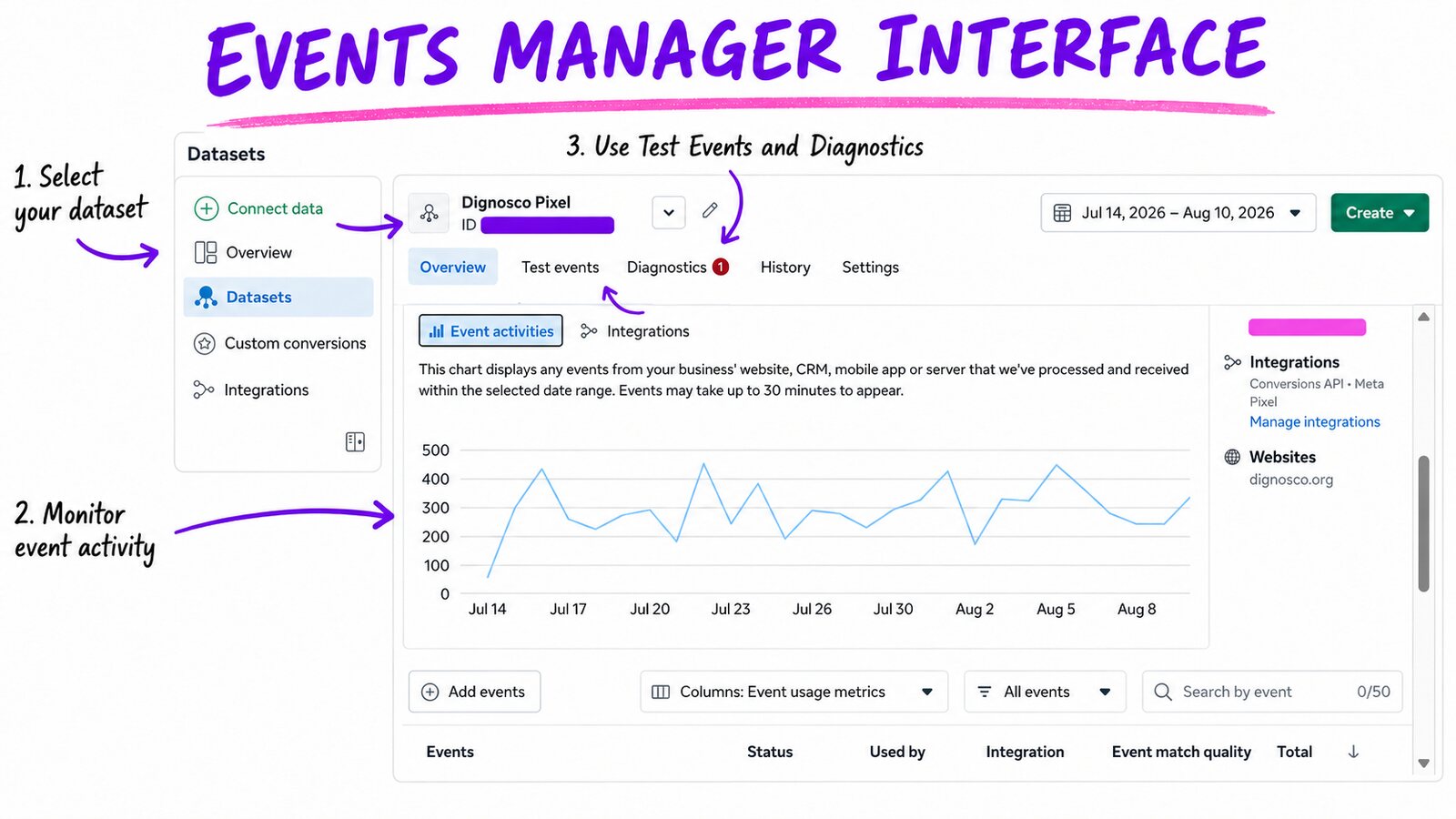
When you log into Events Manager, you’ll see a few primary areas in the main navigation menu:
Connect Data Sources: The starting line. Use this to hook up a new website, app, CRM, or offline data stream.
Overview: Your bird’s-eye dashboard. It shows active connections, real-time activity, and overall data health.
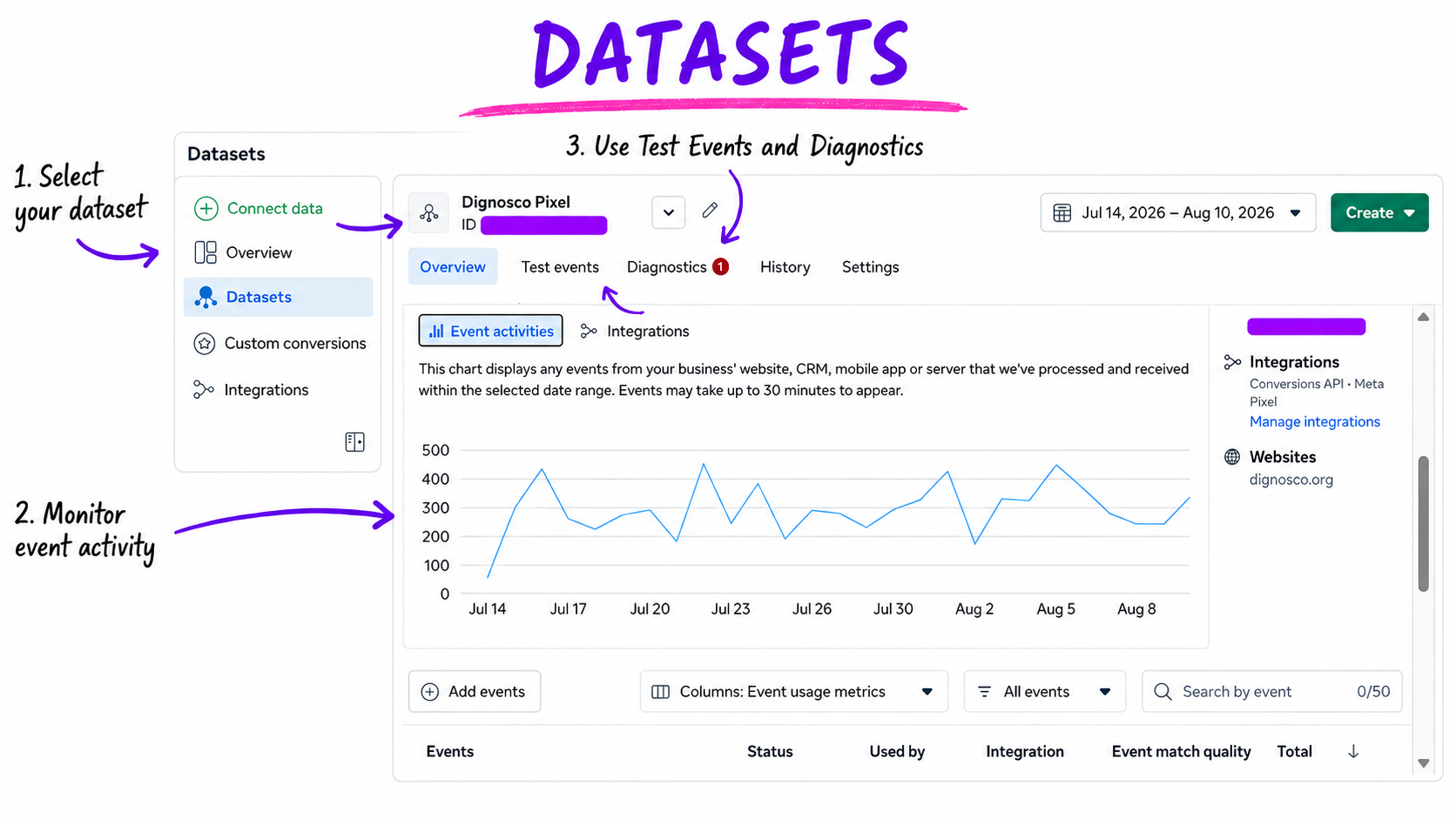
Datasets: The modern “container” Meta uses to group your tracking signals in one place.
Custom Conversions: Rules you create to segment broader events (e.g., turning a general
Leadevent into anMBA-Inquirybased on a thank-you page URL).Integrations: Pre-built connectors for platforms like Shopify, WordPress, Zapier, and popular CRMs.
What Is a Meta Dataset?
Historically, marketers talked almost exclusively about the Meta Pixel. Today, Meta uses Datasets.
A Dataset is a single container that collects events across every stage of your customer journey, whether those events happen in a browser, on a server, or inside a CRM.
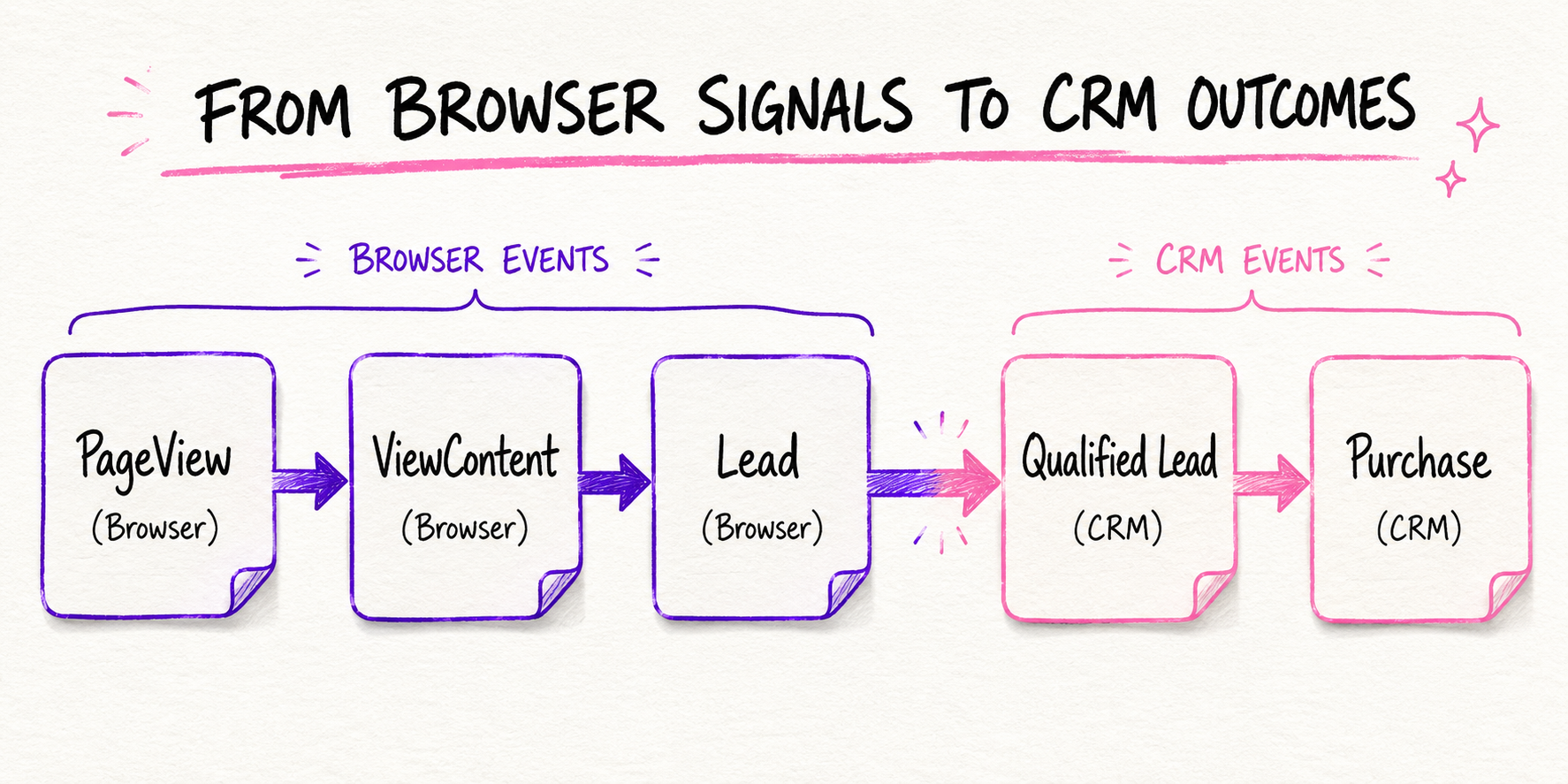
Combining these channels into one Dataset gives Meta a complete picture of your funnel. This is vital for businesses with long sales cycles where the final decision happens days or weeks after the initial website click.
Understanding Your Dataset Tabs
Once you open a specific Dataset, you’ll work within five main tabs:
1. Overview
Shows event volume, CAPI coverage, match quality, and high-level health metrics.
Note: Take Meta’s automated recommendations here with a grain of salt. Double-check whether a suggested fix actually makes sense for your technical setup before applying it.
2. Test Events
Your diagnostic lab. You can open your site in a separate window, perform actions (like submitting a test form), and watch the events fire live. Always verify that:
The event name is spelled correctly.
It fires once per action (not twice).
The event parameters (like currency or URL) are accurate.
3. Diagnostics
Meta’s error log. It flags issues like missing parameter values, un-deduplicated browser/server events, or low match quality. If you see a red warning badge here, review it promptly to keep your reporting clean.
4. History
An audit log of changes made to the dataset. It answers questions like “Who changed this setting?” or “When did this event stop firing?”, invaluable when working with external agencies or large teams.
5. Settings
Where you manage access tokens, dataset IDs, partner integrations, and privacy parameters. Keep your CAPI API keys and secret tokens secure.
Meta Pixel vs. Conversions API (CAPI)
To capture data reliably, you should ideally use both browser tracking and server-side tracking together.
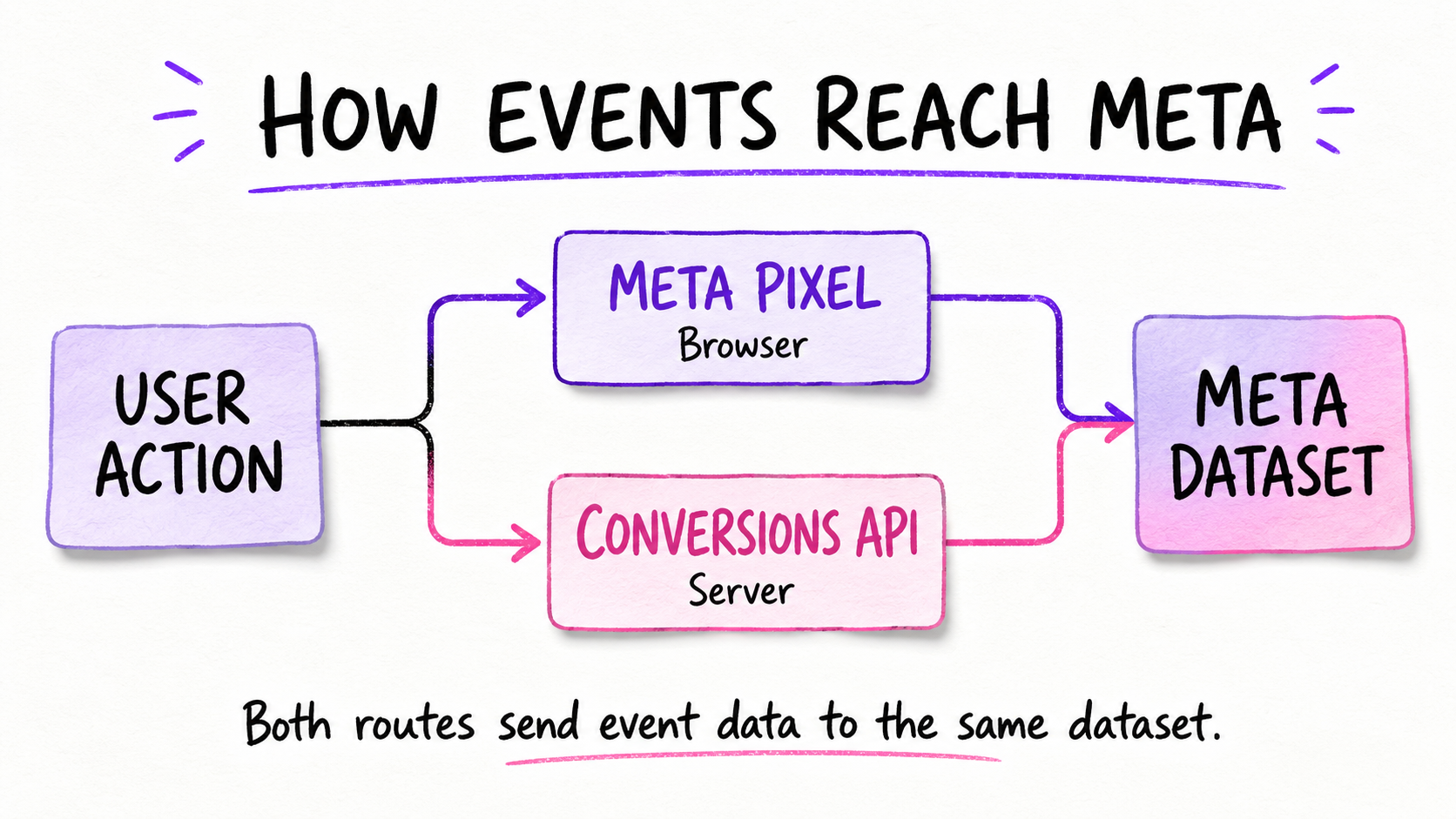
Meta Pixel (Browser-side): Code installed on your site that fires directly from the visitor’s browser. It’s easy to set up, but vulnerable to ad blockers, cookie restrictions, and slow page loads.
Conversions API / CAPI (Server-side): Sends events directly from your web server, CRM, or app backend to Meta. It bypasses ad blockers and network hiccups, making it significantly more reliable.
Deduplication
When using both Pixel and CAPI, Meta receives two signals for the exact same pageview or purchase.
To keep Meta from counting double, both signals must share the exact same Event Name and a unique Event ID. Meta uses those identifiers to collapse the two signals into a single recorded event.
Standard Events vs. Custom Events
Standard Events: Pre-defined action names that Meta’s machine learning model already understands (e.g., PageView, Lead, AddToCart, Purchase). Use standard events whenever possible so Meta can leverage historical platform data to optimize delivery.
Custom Events: Unique names you create for actions that fall outside Meta’s standard list (e.g., Booked_Consultation or Video_Watched_50p). Use these sparingly; if a standard event fits, stick with the standard event.
What Is Event Match Quality (EMQ)?
Event Match Quality measures how effectively the customer information sent with your server events (CAPI) allows Meta to match that activity to a real Facebook or Instagram account.
Identifiers that improve your EMQ score include:
Email address (hashed)
Phone number (hashed)
First and last name
City, State, and Zip/Postal code
IP address and User Agent
Higher EMQ leads to better conversion attribution and larger, more accurate retargeting audiences.
How Events Manager Talks to Ads Manager
When you build a campaign in Ads Manager, you select a Performance Goal tied to a specific event in your Dataset. Meta then studies the profiles of people who trigger that event and adjusts ad delivery to reach similar users.
Why Numbers Don't Always Match
It’s common for Events Manager and Ads Manager to show different conversion numbers:
Events Manager records all events happening across your business, regardless of where the traffic came from (Google, organic search, direct, Meta ads).
Ads Manager only reports events attributed directly to your Meta ads within your designated attribution window (e.g., 7-day click / 1-day view).
Common Tracking Errors to Avoid
Firing Lead on page load: Triggering a Lead event when someone visits the contact page, rather than after they actually submit the form.
Missing Deduplication: Running both Pixel and CAPI without matching
event_idparameters, causing Meta to double-count conversions.Optimizing for low-volume events: Expecting Meta to optimize for an event that only fires 2–3 times a month. Meta usually needs roughly 50 conversion events per week per ad set to optimize effectively.
Incorrect Purchase Parameters: Passing raw values without currency codes or passing values formatted with currency symbols (e.g., passing
"$50.00"instead of50.00).Ignoring the Diagnostics Tab: Leaving tracking bugs unaddressed until ad performance drops.
Final Thoughts
Events Manager is not simply a technical reporting screen. It is the foundation that tells Meta what customers do and which actions matter to your business.
A campaign can have excellent creative, targeting and budget settings, but poor event data can still lead to weak optimization and misleading reports.
Start with accurate standard events. Test every important action. Use Meta Pixel and Conversions API together where appropriate. Connect your CRM when later-stage lead quality matters. Most importantly, optimize toward genuine business outcomes—not simply the events that are easiest or cheapest to generate.
The better Meta understands your customer journey, the better equipped its advertising system is to measure results and optimize campaign delivery.